
AppSCREEN

AppSCREEN® CUB · For any screen

Your screen. Now a tablet.

The Android computer from our steles. Plug in, done.

Drag with the mouse: sideways or up and down.Drag to rotate

At a glance

What sets it apart from a signage player.

  • Full Android 14 with Google Play, just like on a tablet.
  • Plug & play with any touchscreen: HDMI for the picture, USB for touch, done.
  • Octa-core processor with active cooling, built for continuous operation.
  • 16 GB RAM and 64 GB storage for apps, videos and presentations.
  • HDMI 2.1 and USB-C with DisplayPort 1.4 and Power Delivery.
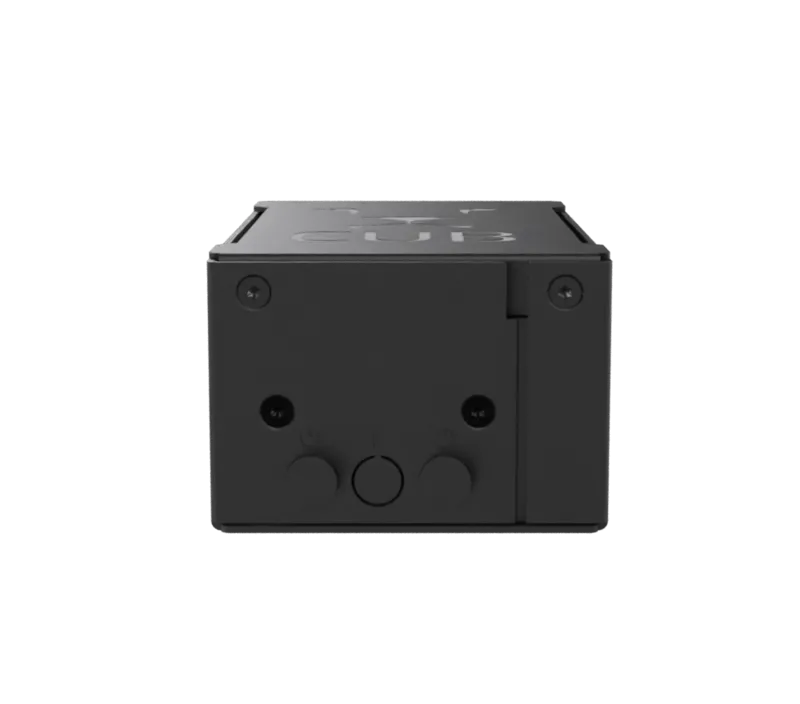
  • Four magnetic feet: CUB holds on the back of touch monitors with a metal housing.

In short

The Android computer for your touch monitor.

AppSCREEN® CUB is our Android mini computer. Plug it into your touch monitor via HDMI and USB and the screen behaves like a tablet with Android 14 and Google Play. A signage player plays content; the CUB runs apps from Google Play. You can rent it or buy it.
Rent a CUB

Process

Plug in. Set up. Done.

  1. 1

    Plug in

    Picture via HDMI, touch via USB, power via USB-C.

  2. 2

    Set up

    Install apps from Google Play or use our ready-made kiosk environment.

  3. 3

    Go

    The screen behaves like a tablet. Swipe, tap, zoom, no training.

In detail

Small. Quiet. Tough.

CUB is the same computer that powers our steles and Wall displays. As a device of its own, it brings that platform to monitors and touchscreens you already have: in retail, in hotels, at check-in or at the trade show booth.

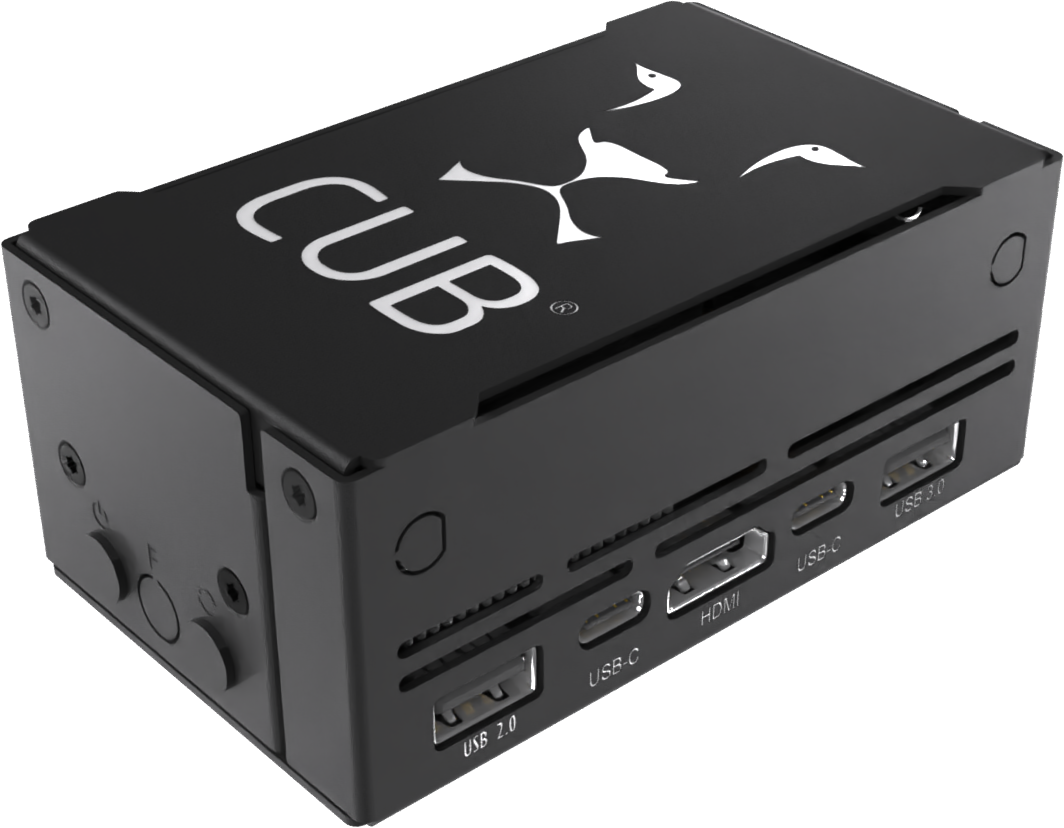
The milled metal housing dissipates heat, and active cooling keeps the processor in the green even in continuous operation.

AppSCREEN CUB black metal housing with ventilation slots

Ports

  • 1 × HDMI 2.1 (type A)
  • 1 × USB-C 3.1 with Power Delivery and DisplayPort 1.4
  • 1 × USB-C Power Delivery (power only)
  • 1 × USB 3.1
  • 1 × USB 2.0
  • Gigabit LAN, Wi-Fi 6 and Bluetooth 5.0

Four magnets. One fixed place.

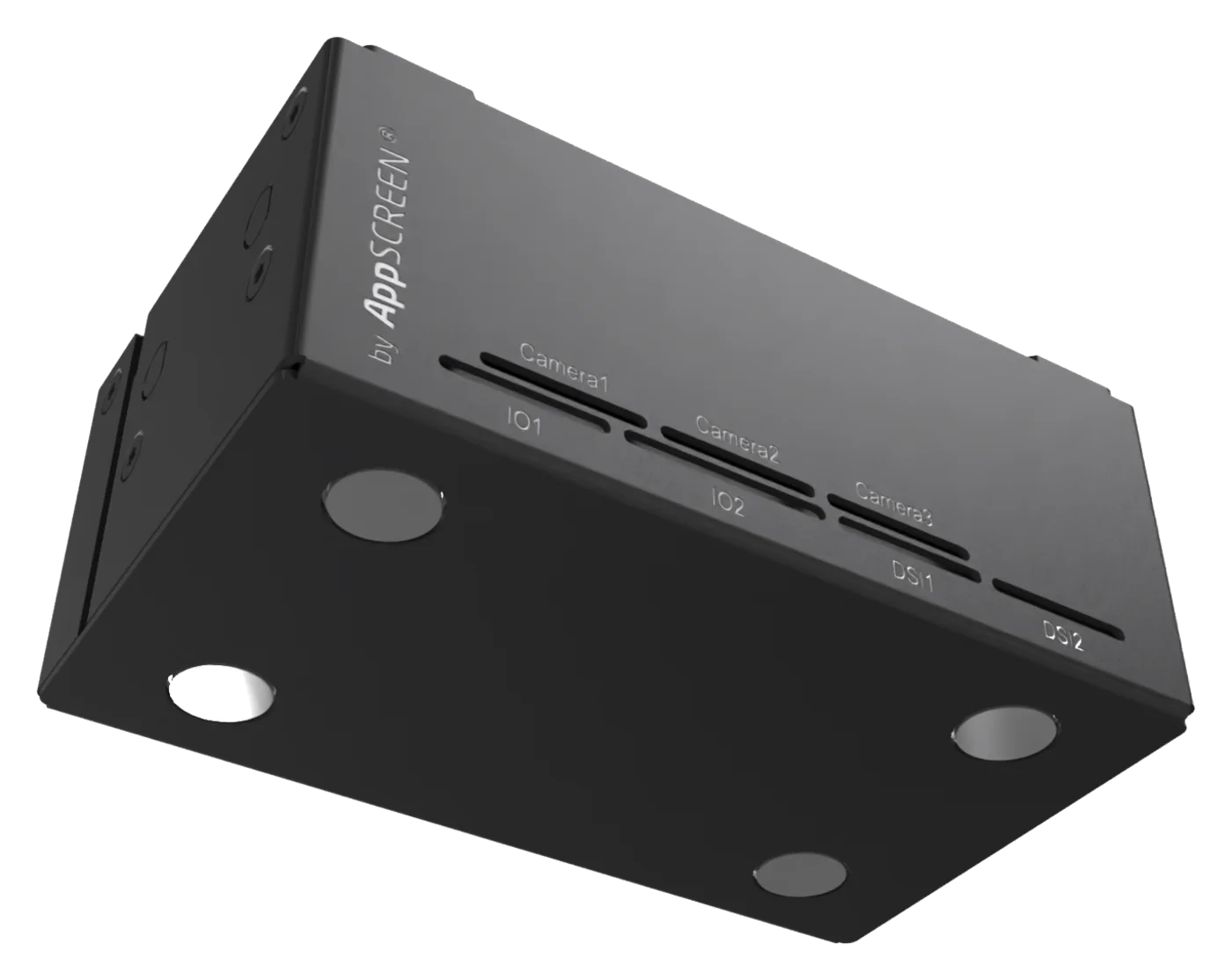
CUB's four feet are magnets. On a touch monitor with a metal housing it holds directly on the back and disappears behind the screen.

AppSCREEN CUB from below with four magnetic feet

Data sheet

The technical data.

As of 2026. Subject to change as part of product updates.

Computer

Processor
Octa-core: 4 × 2.25 GHz Cortex-A76 + 4 × 1.8 GHz Cortex-A55
Cooling
Active
Memory
16 GB LPDDR4x
Storage
64 GB eMMC 5.1
Operating system
Android 14
Apps
Google Play, around 2 million apps
Mounting
4 magnetic feet, for monitors with a metal housing

Ports

Video
HDMI 2.1 (type A), DisplayPort 1.4 via USB-C
USB
1 × USB 3.1, 1 × USB 2.0, 1 × USB-C 3.1 (PD + DP), 1 × USB-C PD
Network
Wi-Fi 6, Bluetooth 5.0, Gigabit LAN
Touch
USB HID, compatible with common touch overlays and touch monitors

Accessories

Flight case
5-unit and 10-unit cases for roadshows and rental
Configuration
Pre-configured with kiosk mode, logo, apps and content

Questions

Quick answers.

Does the CUB work with my touch monitor?

Yes, if your monitor sends touch via USB HID. The picture comes via HDMI. Tell us which screen you have and we will check.

How is the CUB different from a signage player?

A signage player plays content. The CUB runs Android 14 with Google Play and works by touch like a tablet.

Which ports does the CUB have?

HDMI 2.1, two USB-C, USB 3.1 and USB 2.0, plus Gigabit LAN, Wi-Fi 6 and Bluetooth 5.0.

Inquiry

Does CUB fit your display?

Tell us which screen you have. We tell you whether CUB fits right away.

Directinfo@appscreen.de+49 89 12015276

When is your event?

When and where do we deliver?

What should run on the screen? *