Capture leads at trade shows digitally
Capture leads at trade shows without a stack of business cards: which fields you need, how visitors sign up themselves and what consent involves.
Lead capture at a trade show means recording the contact details and interests of visitors in a way your sales team can work with after the show. Digitally, this works with a form on a touchscreen: visitors type in their own details, with consent, and after the show all contacts are in one list.
Why are business cards and paper notes not enough?
After a trade show, there is often a stack of business cards on the desk. The cards do not say what was discussed. Notes on paper vary in detail, and someone has to type everything up.
Digital capture solves three tasks at once: every contact has the same fields, the interest is recorded with it, and consent is documented.
What ways are there to capture leads at a trade show?
| Method | How it works | Strength | Limitation |
|---|---|---|---|
| Business card and notes | collect, type up later | no device needed | follow-up work, interest missing |
| Scanning app | scan ticket or badge | fast | depends on the trade show’s system |
| Form on your team’s phone | team types during the conversation | notes taken right in the conversation | ties up your team |
| Form on a touchscreen | visitors type themselves | runs alongside conversations | needs an incentive |
You can combine two methods: your team records conversations, and visitors who are waiting sign up on the touchscreen.
How does lead capture on a touchscreen work?
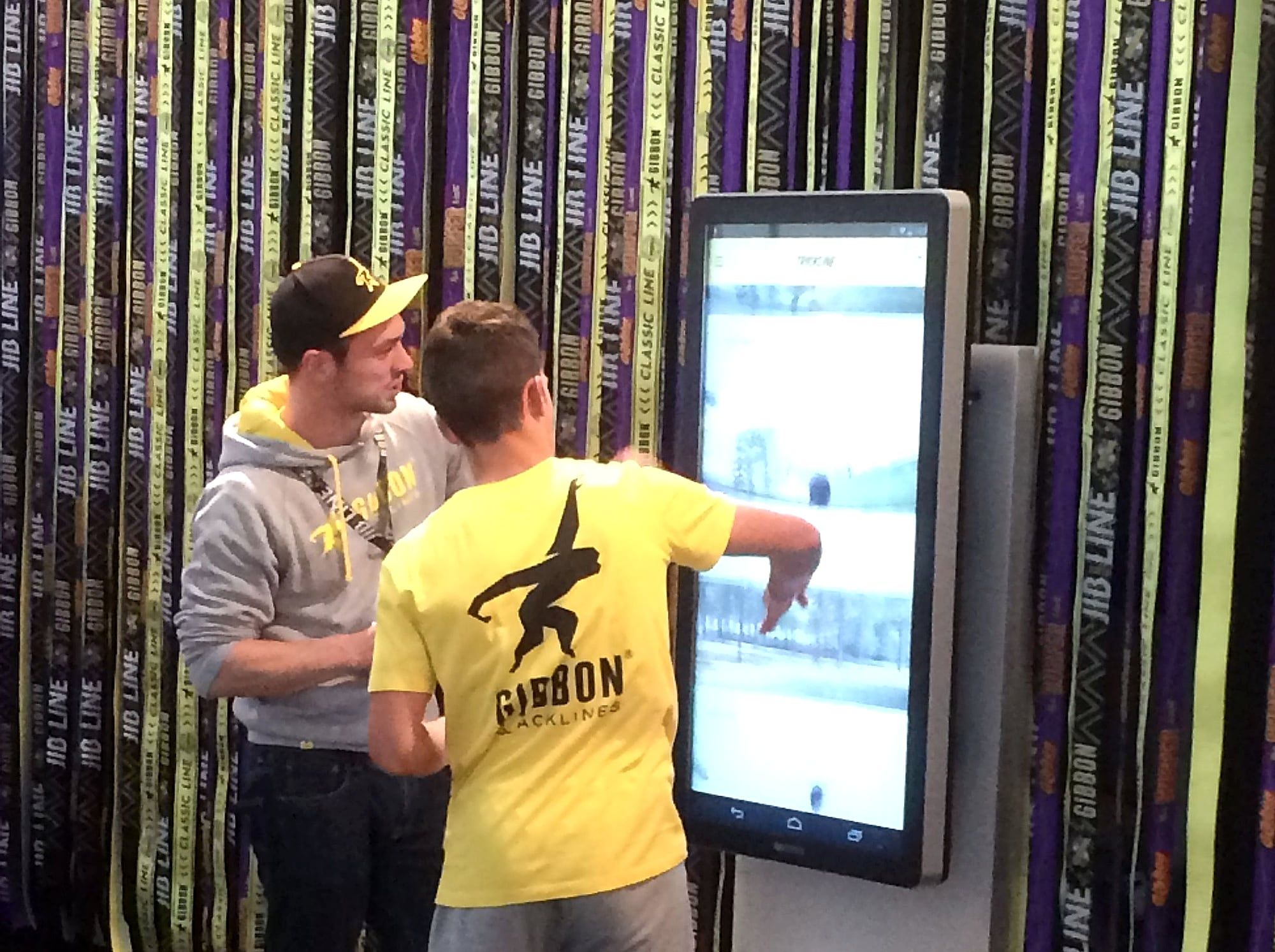
- The visitor comes to the screen. Something draws them there: a quiz, a prize draw, a data sheet or an offer.
- They choose their interest. For example a product or a topic.
- They type in their details. Name, company, email address.
- They give their consent. With a tick box and a short text that says what you will use the data for.
- They receive a confirmation. For example “Thank you, we will be in touch”.
- After the show, you have every contact. In one list, each with the same fields.
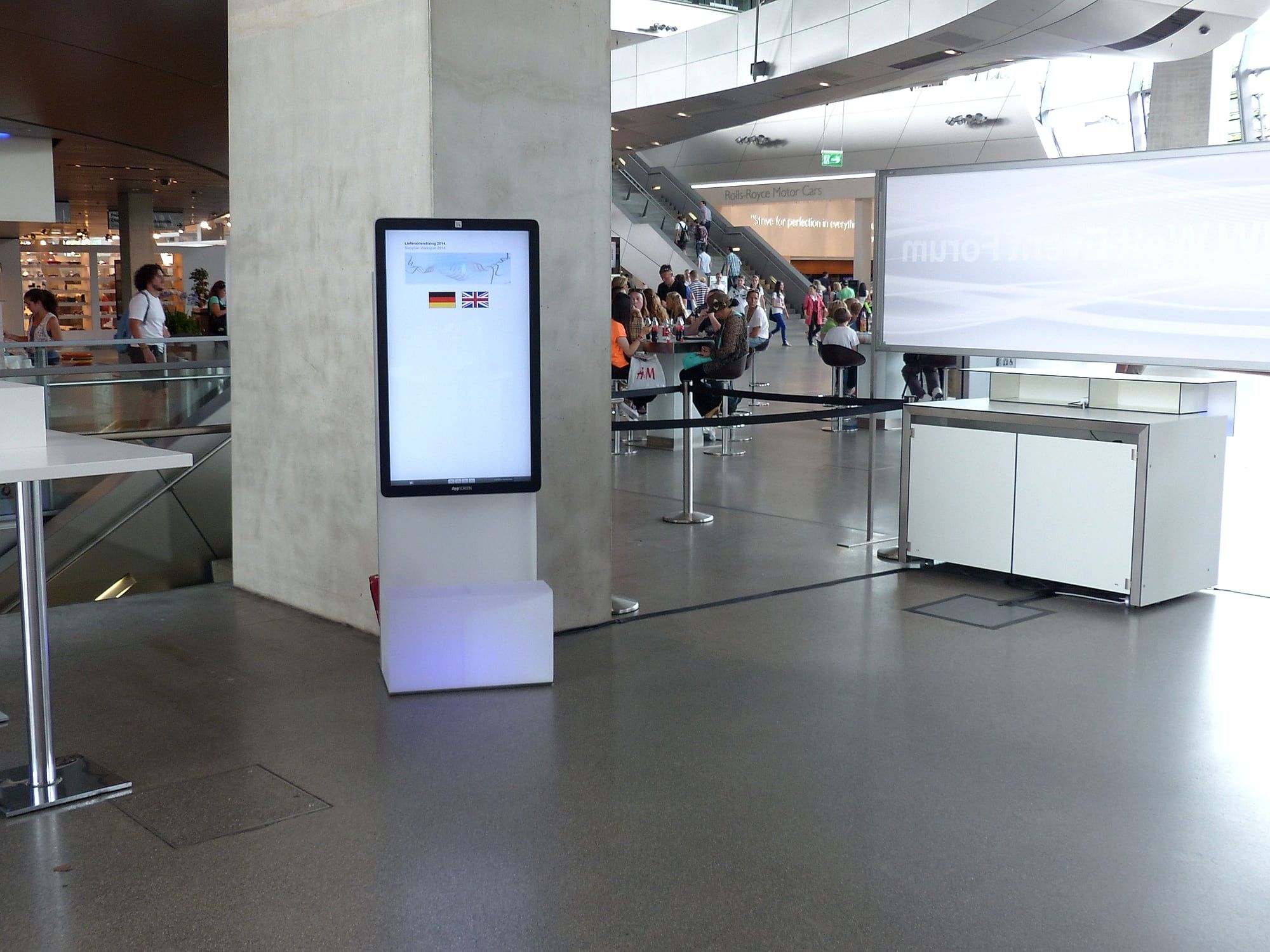
At an event for business partners, one of our steles stood in the foyer. Guests chose their language, filled in a questionnaire on the screen and signed up.
Which fields belong in the form?
- Name and company.
- Email address.
- Interest. As options to tap, which is quicker than typing.
- Consent. With a tick box.
Only ask for what you will use after the show. A short form is filled in quickly.
What does consent involve?
If you want to contact visitors after the show, consent belongs in the form. The text says in plain words who receives the data and what you will use it for. A link or QR code leads to your privacy policy.
This is a tip from practice, not legal advice. Have the wording checked by your data protection adviser.
How do you get visitors to the screen?
- Quiz with a result. At the end there is a personal result, sent by email.
- Prize draw. Anyone who takes part signs up. You will find formats in the article Trade show gamification.
- Documents by email. A data sheet or offer goes to the address entered.
- An offer only available at the booth. For example a consultation appointment.
You will find more ideas in the article Creative trade show booth ideas.
What does the AppSCREEN® do for lead capture?
- Visitors type themselves. On 46 inches with an on-screen keyboard, operated like a tablet.
- Kiosk mode. Visitors only see your form.
- Your application or ours. Your form runs as an app or web application. On request, we build the lead capture in your design.
- Three formats. The neo stands freely by the aisle, the Wall hangs on the wall, the CUB turns your own touch monitor into a tablet.
You can rent the devices for the trade show. We deliver by freight, set everything up and collect it again.
Checklist: lead capture at a trade show
- Defined what sales needs to know after the show.
- Cut the form down to a few fields.
- Checked the consent text.
- Chosen an incentive: quiz, prize draw or documents.
- Tested the form on the device.
- Agreed who receives the contacts after the show and by when they will be followed up.
Conclusion
Digital lead capture replaces the stack of business cards with a list your sales team can work with the day after the show. It needs a short form, proper consent and an incentive that brings visitors to the screen.
Want to capture leads digitally at your next trade show? Tell us what your sales team needs to know. We will get back to you within 24 hours.
Quick answers.
What does lead capture at a trade show mean?
Lead capture means recording the contact details and interests of trade show visitors in a way your sales team can work with after the show.
How do I capture trade show contacts digitally?
With a form on a touchscreen where visitors type in their own details, with a scanning app, or with a form your team fills in during the conversation.
Which fields belong in a lead form?
Name, company, email address, the visitor's interest and consent. Every additional field should serve a purpose for the follow-up.
Do I need consent?
If you collect contact details in order to contact visitors later, consent belongs in the form. Have the wording checked by your data protection adviser.
Can I combine lead capture with a prize draw?
Yes. A quiz or prize draw is a good reason for visitors to leave their contact details. The terms of participation come from you.