Preparing content for a touchscreen: formats, deadlines
What we need for your rented touchscreen: app, video, PDF or presentation, in which format and by when. With a table and a checklist.
For your rented touchscreen we need your content about a week before we ship: the name of your app in Google Play or the APK file, videos, PDFs and presentations in portrait or landscape, plus a background image and icons. We then load everything, test it and still have time to fix anything that does not work.
Our pages often say “if your data reaches us in time”. This article explains what that means. We are AppSCREEN GmbH from Grasbrunn near Munich. Everything about the rental itself is on the page Touchscreen rental for trade shows.
What can run on the screen?
AppSCREEN® is an Android tablet running Android 14 with Google Play. It runs:
- your app, from Google Play or as an APK file
- your website or a web application
- videos
- PDFs, for example a catalogue to browse
- presentations, including PowerPoint
- a Figma click dummy, if the app is not finished yet
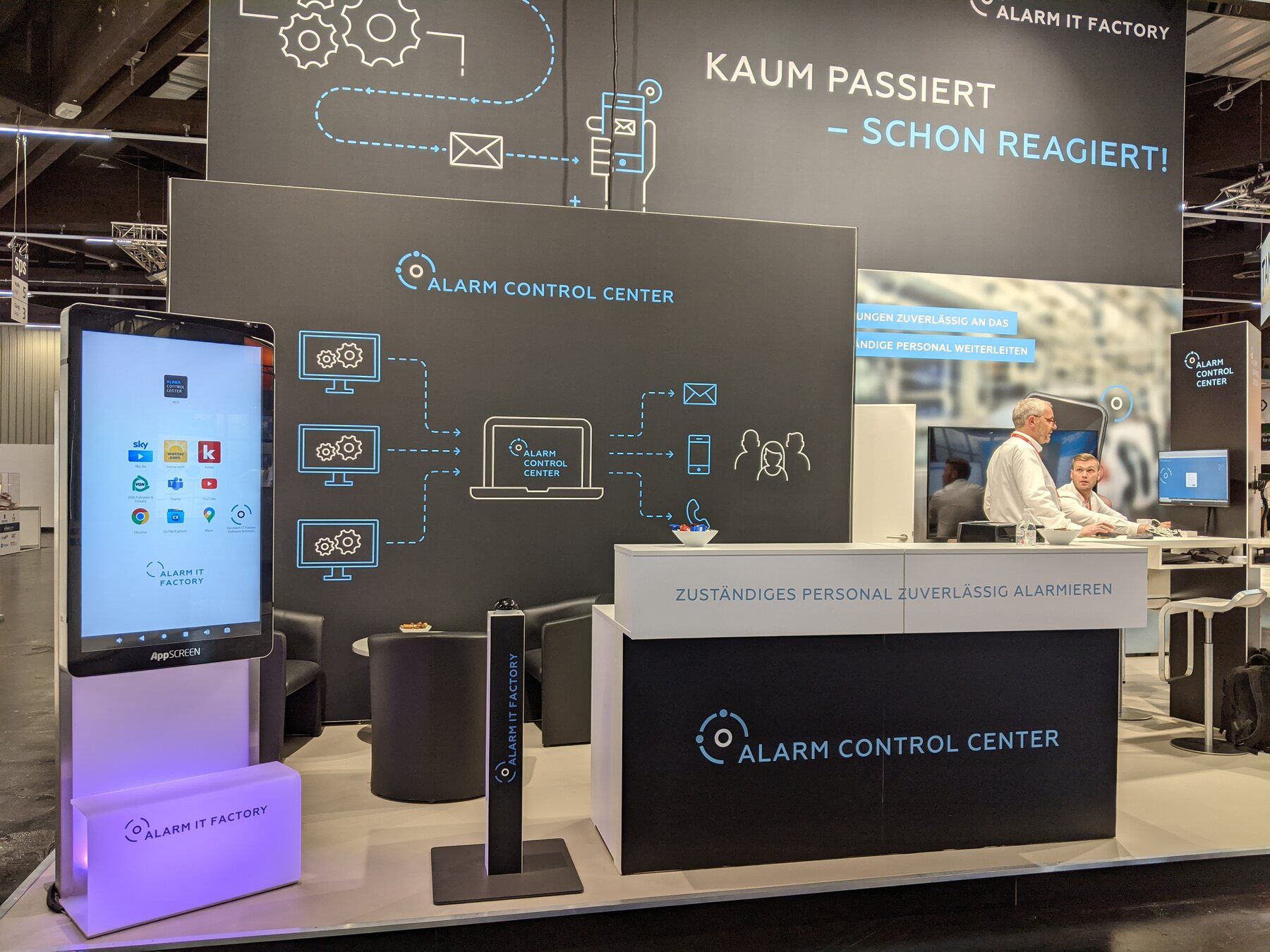
You can show several pieces of content side by side. We then set up a home screen on which each one has its own icon. The photo above shows such a home screen: apps as icons, the logo at the bottom.
Windows programs do not run. We cannot start an .exe file on an Android device, and it does not play Windows video formats.
Our trade show booth ideas show what visitors can do with this kind of content on the stand.
What do we need from you, and in which format?
| Content | What we need | Format |
|---|---|---|
| App | the name of the app in Google Play, or the APK file | for Android |
| App with login | a test account, a slot for a video call, or you enter the login yourself via remote access | by arrangement |
| Website | the address | internet needed on the stand |
| Video | the file or a download link | Full HD for the stele, up to 4K on the Wall depending on size; portrait or landscape to match the screen |
| PDF, presentation | the file | PDF or PowerPoint, laid out in portrait or landscape to match the screen |
| Background image | one image file per orientation | Full HD: 1080 × 1920 px portrait, 1920 × 1080 px landscape |
| App icons | one file per icon | PNG, 512 × 512 px |
You can send all of this by email or as a download link.
If your app cannot be found in Google Play on the tablet, it is usually only released there for smartphones. In that case we need it as an APK file.
By when do we need the content?
About a week before we ship. In that week we load everything and test it on the device. If something does not run, there is room to find a solution.
If the content arrives later: if the device is online on the stand, we can load content via remote maintenance. We cannot promise that everything will then run.
What do we set up for you?
We set this up before the device leaves us:
- Home screen with your background image and your icons, if you show several pieces of content.
- Just one app: if you do not supply a background image, we usually set a white background and place your logo at the bottom of the screen.
- Kiosk mode. Visitors see only what you have approved.
- Idle timer, if the file allows it: for example, a catalogue or a website reloads after one minute without input.
Does the content start by itself?
Usually not. With a LAN connection on the stand, we can set the content up so that it starts by itself.
With Wi-Fi, you first connect the device to the network on the stand: leave kiosk mode, select the Wi-Fi network, return to kiosk mode.
The article Touchscreen on an exhibition stand: stand builder’s guide explains why we recommend LAN for trade shows.
What does the screen show when nobody is using it?
The content you leave open. You switch it yourself: during a break a video runs on loop, afterwards the app or the presentation is open again.
What goes wrong most often with content?
Two things come up again and again:
- The content arrives too late. Then there is no time for testing.
- We receive too little material. Clients often do not know how much can run: besides the app, also a film, a catalogue or a home screen of their own.
Checklist: content for your touchscreen
- Decided what should run: app, website, video, PDF, presentation.
- Portrait or landscape decided, and all files laid out to match.
- App named in Google Play, or ready as an APK file.
- For apps with a login: test account sent, or a slot for the set-up agreed.
- Background image in Full HD and icons as PNG at 512 × 512 px supplied.
- No Windows programs and no Windows video formats included.
- Everything with us about a week before we ship.
- LAN or Wi-Fi on the stand confirmed.
- Decided what runs on the screen during breaks.
The article App showcasing: presenting an app at a trade show describes how your app comes across on the stand. You send the enquiry for your device on the page Rent a touch stele or touchscreen.
Quick answers.
By when do you need the content for the rented touchscreen?
About a week before we ship. That gives us time to load and test everything, with room to react if something does not run.
In which format do I supply the background image and app icons?
The background image in Full HD: 1080 × 1920 px for portrait, 1920 × 1080 px for landscape. App icons as PNG at 512 × 512 px.
Do Windows programs run on the touchscreen?
No. AppSCREEN® is an Android device. Programs supplied as .exe files and Windows video formats do not run on it. PowerPoint files do.
Can I still change content on the exhibition stand?
If the device is online on the stand, we can load content via remote maintenance. We cannot promise that everything will then run.
What does the screen show when nobody is using it?
The content you leave open: your app, your presentation or a video on loop. Depending on the file, an idle timer can be set that, for example, reloads a catalogue after one minute.